
Connect ChatGPT
Add MightyAI as a custom MCP plugin in ChatGPT when your account supports it.
Use the Mighty Ads plugin if MightyAI has supplied an installation link available to your account. Otherwise, the custom MCP setup below connects ChatGPT to the same MightyAI server.
Custom MCP setup depends on the controls available in your ChatGPT account. These steps do not require a public Mighty Ads marketplace listing.
Add the connection
Open Plugins in ChatGPT’s sidebar, or open ChatGPT Plugins.
Select Add → Add custom MCP server.
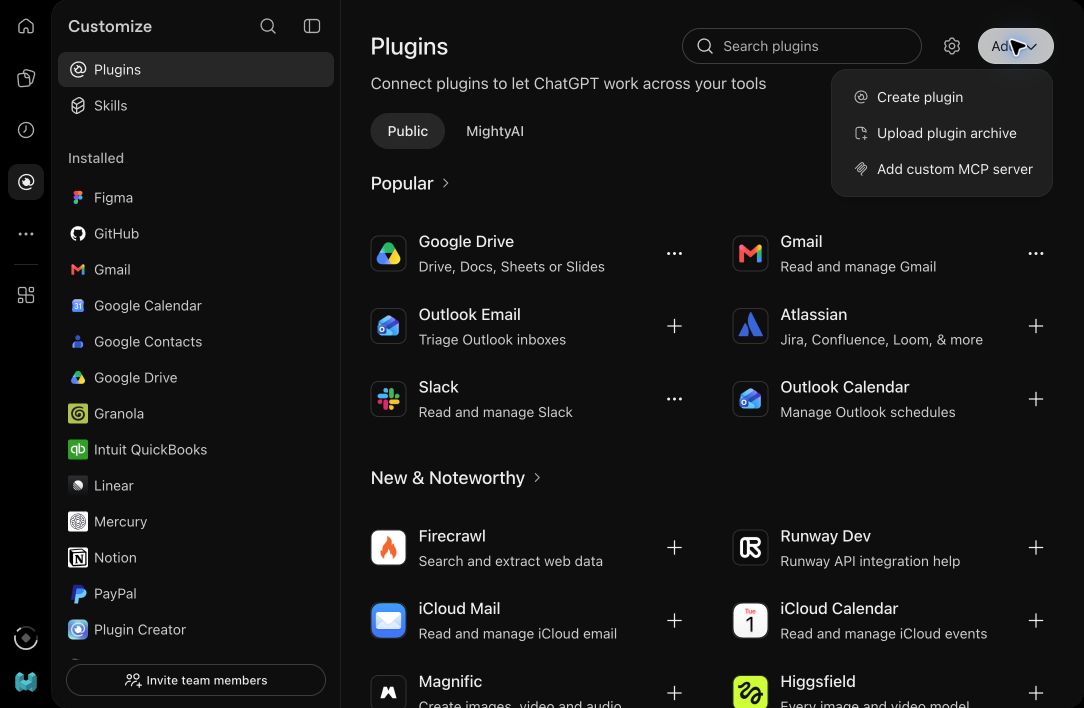
Name it MightyAI and enter this Server URL:
https://api.mightyai.app/mcp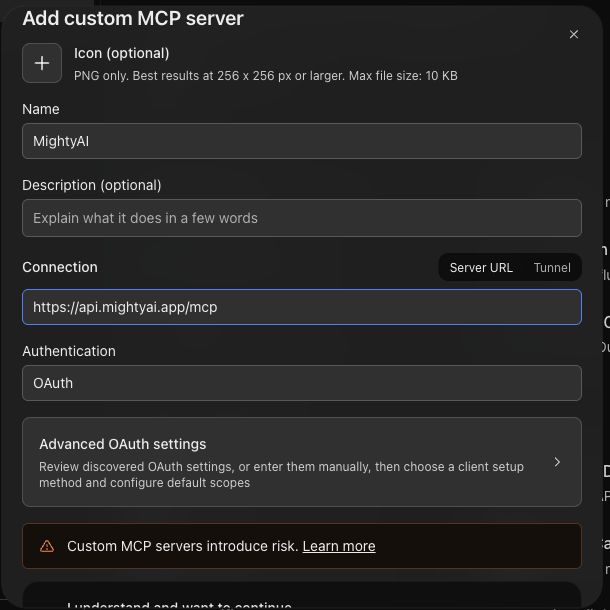
Keep Authentication set to OAuth. Open Advanced OAuth settings and check that Registration method is Client Identifier Metadata Document (CIMD). ChatGPT can discover and select this automatically.
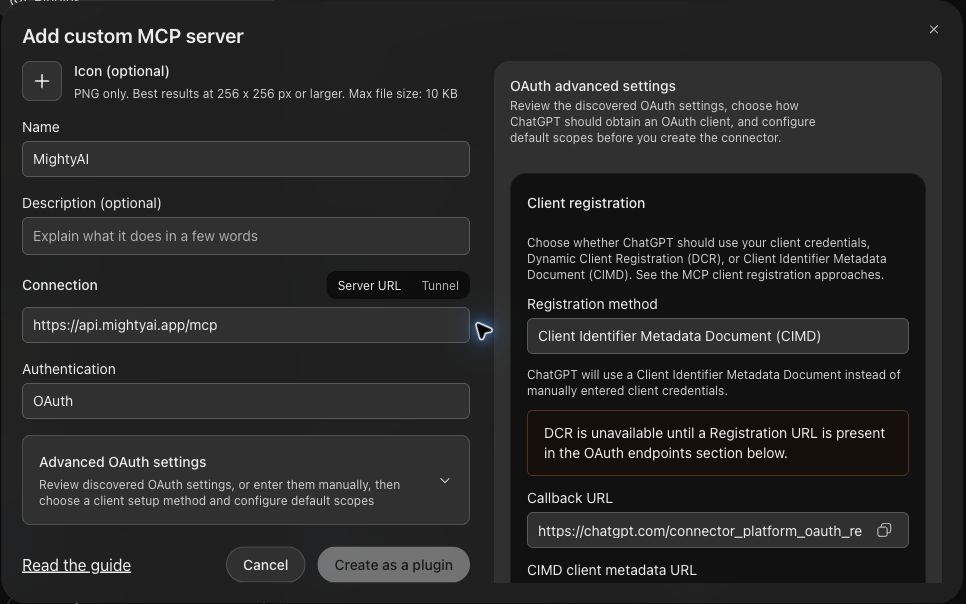
Review ChatGPT's connection notice, select I understand and want to continue if you agree, then select Create as a plugin.
Install the resulting plugin and complete MightyAI browser sign-in. Choose the workspace containing your brand.
If your account does not show custom MCP controls, contact MightyAI for an available setup path.
Use it in a chat
Start a new chat, type @, and select your installed MightyAI plugin. Ask:
Try this request
Check the brand, then run your first advertising review. Connecting ChatGPT does not connect your advertising accounts; add those in MightyAI Integrations.
For updated menus, see OpenAI's custom MCP setup guide.