---
title: Connect Cursor
description: "Configure the MightyAI remote MCP server in Cursor and verify account access."
---
> **For AI agents:** the complete documentation index is at [llms.txt](https://mightyai.jamdesk.app/llms.txt). Append `.md` to any page URL for its markdown version.
Use this MCP setup when a MightyAI plugin is unavailable for your Cursor setup.
Cursor supports remote MCP connections. MightyAI sign-in must also work with your client version. This guide is a configuration path, not a claim that every Cursor surface has been verified with MightyAI.
## Add the server
### 1. Open Customize
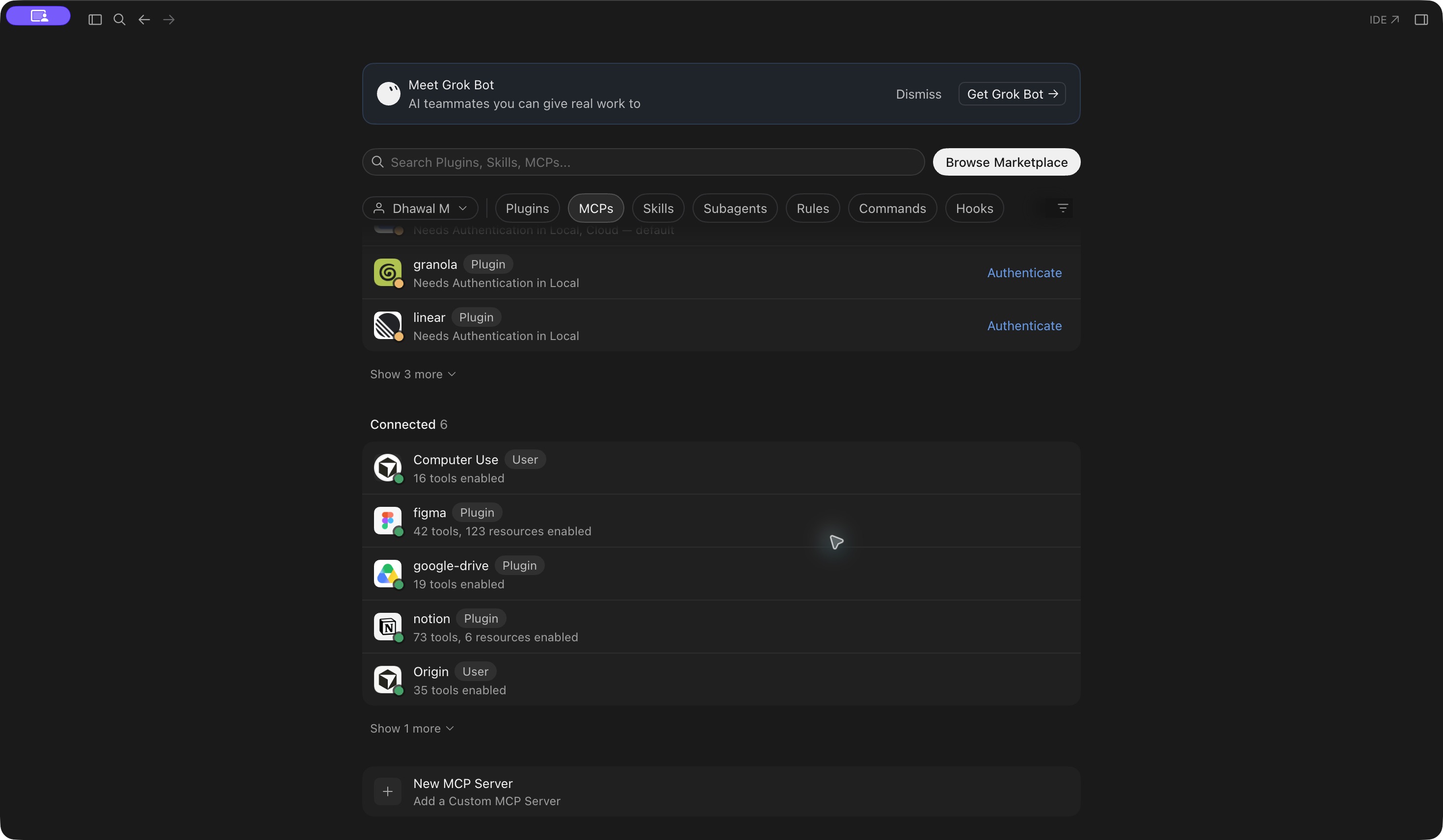
In Cursor, open **Customize** from the sidebar.
### 2. Open MCPs
Select **MCPs**. Find **New MCP Server → Add a Custom MCP Server** below your configured servers.
 ### 3. Add the server configuration
Choose **New MCP Server** to open the MCP configuration file. Merge the following entry into `~/.cursor/mcp.json` for personal use, preserving any existing servers, then save the file.
```json
{
"mcpServers": {
"mighty": {
"url": "https://api.mightyai.app/mcp"
}
}
}
```
## Sign in
Find `mighty` in Cursor's MCP settings and use its authentication action. Complete MightyAI browser sign-in and choose your workspace.
If sign-in asks for an unsupported automatic client registration method or stops before consent, [contact MightyAI](https://www.getmighty.ai/contact) with your Cursor version and the error. Do not add advertising API keys as server headers.
## Check access
Start a new agent chat with the MightyAI server enabled:
Use MightyAI to list the brands I can access. Do not make changes.
A visible tool list alone does not prove account access. Once brand discovery works, try [your first advertising review](https://mightyai.jamdesk.app/quickstart).
See [Cursor's MCP documentation](https://cursor.com/docs/mcp) for configuration options.